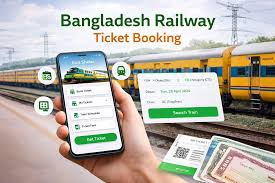
Getting a train ticket in Bangladesh used to mean long queues. Now, booking online is much easier, but for newcomers, the Bangladesh Railway online ticket booking process can seem a bit confusing. You might wonder where to start or what steps to follow.
Don’t worry, this guide will walk you through everything step-by-step. We’ll make booking your next train trip super simple. Get ready to learn how to book tickets with ease.
Key Takeaways
- You will learn how to access the official Bangladesh Railway ticketing website.
- Understand the essential information needed for ticket booking.
- Discover how to select your train, class, and seats.
- Learn about payment options available for online bookings.
- Find out how to receive and use your e-ticket.
- Get tips for a smooth booking experience.
Getting Started With Online Ticketing
How To Access The Bangladesh Railway Ticketing Portal
The first step to booking your train tickets online is knowing where to go. The Bangladesh Railway has an official website specifically for this purpose. This portal is designed to be user-friendly, allowing you to search for trains and book tickets from the comfort of your home.
It is important to always use the official website to ensure the security of your transactions and avoid unofficial sites that might cause issues.
Understanding The Official Website
The official ticketing portal is your central hub for all online ticket purchases. It displays available trains, routes, schedules, and ticket prices. You can also find information about different train classes and seat availability.
Familiarizing yourself with the website’s layout will make the booking process quicker and more efficient.
When you land on the website, you will see options to search for tickets. This usually involves selecting your departure station, your destination station, and your desired travel date. The system then shows you all the trains running on that route for that specific day.
Registration And Account Creation
In most cases, you will need to create an account to book tickets. This account helps manage your bookings and provides a secure way to process payments. The registration process typically involves providing your name, email address, and phone number.
A strong password is recommended to protect your account.
Once registered, you can log in anytime to check your booking history or make new reservations. Some platforms might allow guest checkouts, but having an account generally offers more benefits and a smoother experience over time. It also helps the railway manage passenger data more effectively.
Navigating The Search Functionality
The search functionality is where your ticket booking begins. You will typically find fields for ‘From Station’, ‘To Station’, and ‘Date’. Select these accurately to see the most relevant results.
If you are unsure of station names, the website usually provides a dropdown list or search assistance.
After entering your travel details, click the search button. The results page will display a list of trains. Each train will show its name, departure time, arrival time, and the type of classes available.
You can also often see the number of seats available for each class.
Selecting Your Train And Seats
Choosing The Right Train
Once the search results appear, you can compare different trains. Consider factors like departure and arrival times to match your schedule. Some trains might be faster than others, while some might offer more convenient timings.
Check the travel duration for each train to make an informed decision.
The available classes for each train will also be listed. Common classes include Shovon, AC Chair, SNIGDHA, and First Class. Each class offers different levels of comfort and amenities, impacting the ticket price.
Decide which class best suits your budget and travel needs.
Understanding Train Classes
Let’s break down some common train classes:
- Shovon (S) is usually the most basic, non-air-conditioned seating.
- AC Chair (C) offers air-conditioned seating, providing more comfort, especially on long journeys.
- SNIGDHA (NS) is another air-conditioned class, often with slightly different seating arrangements or amenities.
- First Class (F) is typically the most premium option, offering more space and comfort, sometimes with berths for sleeping.
Each class has its own ticket price, so choose wisely based on your comfort and financial considerations.
Seat Selection Options
After selecting your train and class, you will usually be presented with a seat map. This map shows the available seats in your chosen compartment and class. You can click on a desired seat to select it.
Some systems allow you to choose specific seats, like window or aisle seats, if they are available.
If you do not have a strong preference, you can often let the system assign a seat automatically. This can sometimes be faster if you are in a hurry. Keep in mind that seat availability changes rapidly, so it is best to book as soon as possible, especially for popular routes or during peak travel times.
Making Your Payment
Available Payment Methods
The Bangladesh Railway online ticketing system supports various payment methods to make it convenient for everyone. The most common options include debit cards, credit cards, and mobile banking services. You might also find options for digital wallets or even bank transfers, depending on the platform’s integration.
It is important to ensure you are using a secure payment gateway. The official website usually employs strong security measures to protect your financial information. Always check for the secure connection indicator (like a padlock icon) in your browser’s address bar before entering any payment details.
Using Mobile Banking
Mobile banking is a very popular and convenient payment method in Bangladesh. Services like bKash, Rocket, and Nagad are widely used. When you choose mobile banking, you will typically be directed to a payment gateway that integrates with these services.
You will then follow the on-screen prompts to complete the transaction via your mobile banking app or USSD code.
Ensure you have sufficient balance in your mobile banking account before initiating the payment. The process is usually straightforward and involves confirming the transaction with a PIN. This method is often preferred for its speed and accessibility.
Credit And Debit Card Payments
If you prefer using cards, you can enter your debit or credit card details. This includes the card number, expiry date, and CVV (Card Verification Value). Some banks might require an additional verification step, such as an OTP (One-Time Password) sent to your registered mobile number, to authorize the transaction.
Make sure your card is enabled for online transactions. If you encounter any issues, contact your bank. The security of card transactions is paramount, and reputable ticketing sites adhere to strict protocols to safeguard your data.
Completing The Transaction
After selecting your payment method and entering the necessary details, you will confirm the payment. Once the payment is successfully processed, you will receive a confirmation message on the website. This confirmation typically includes a booking reference number.
It is crucial to keep this booking reference number safe. It serves as proof of your transaction and will be needed to retrieve your e-ticket. The system may also send a confirmation email or SMS to your registered contact details, which also includes your booking reference.
Receiving And Using Your E-Ticket
Understanding The E-Ticket
An e-ticket, or electronic ticket, is your digital proof of purchase for the train journey. It contains all the important details of your booking, including your name, train name, class, seat number, journey date, departure and arrival stations, and the booking reference. You will usually receive it via email or as a downloadable PDF after successful payment.
The e-ticket often has a QR code or a barcode that the ticket inspector can scan. This makes the checking process quick and efficient. It is essential to keep your e-ticket accessible, either by printing it or saving it on your mobile device.
How To Access Your E-Ticket
You can typically access your e-ticket through the Bangladesh Railway ticketing portal by logging into your account. There will usually be a section for ‘My Bookings’ or ‘My Tickets’ where you can view your purchase history and download your tickets again if needed. Many systems also send the e-ticket directly to the email address you provided during registration.
If you do not receive an email, check your spam or junk folder. If you still can’t find it, use the booking reference number on the website’s ticket retrieval page. Having your ticket readily available on your smartphone is often the most convenient option.
Using Your E-Ticket On The Train
When you board the train, the ticket checker will ask to see your ticket. You can present your e-ticket either as a printout or on your mobile screen. The checker will scan the QR code or barcode on your ticket.
Make sure your screen is bright enough for scanning and that the ticket details are clearly visible.
It is a good idea to have your ticket ready before the checker reaches your seat to avoid delays. If you encounter any issues with scanning, you can show your booking reference number or other details from the ticket to the checker. Carrying a valid government-issued ID along with your ticket is also recommended.
Tips For A Smooth Booking Experience
Book In Advance
Train tickets in Bangladesh can sell out quickly, especially on popular routes and during holidays or special events. To ensure you get your preferred train, class, and seat, it is highly recommended to book your tickets as far in advance as possible. The booking window typically opens several days or weeks before the travel date.
Booking early not only guarantees your seat but can also sometimes help you avoid last-minute price surges if prices were to fluctuate. It also reduces stress by allowing you to plan your trip with certainty.
Check Train Schedules Carefully
Train schedules can sometimes change due to various reasons, such as operational adjustments or maintenance. Always double-check the train schedule on the official website closer to your travel date. Look for any announced changes or delays.
This proactive approach can save you from potential inconvenience on your travel day.
The ticketing portal usually displays the most up-to-date schedule. Some platforms might even send notifications about schedule changes to registered users. Being informed about any alterations helps you adjust your travel plans accordingly.
Keep Your Details Handy
During the booking process, you will need certain information. This includes your personal details like name, age, and contact number. If you are booking for someone else, ensure you have their correct information.
Having this ready will speed up the form-filling process and prevent errors.
For payment, have your card details or mobile banking information prepared. This avoids interruptions and the risk of the system timing out while you search for your payment details. A smooth process means less frustration and a higher chance of securing your desired ticket.
Troubleshooting Common Issues
Sometimes, you might encounter issues like payment failures, website errors, or problems receiving your e-ticket. If your payment fails, try again after a few minutes or use an alternative payment method. If the website is unresponsive, try clearing your browser’s cache and cookies or try accessing it from a different browser.
For ticketing issues, the customer support section of the website is your best resource. They usually provide contact numbers or email addresses for assistance. Most common problems have straightforward solutions if addressed promptly with the correct information.
Common Myths Debunked
Myth 1: You Need A Special App To Book Tickets
Many people believe you must download a separate mobile app to book Bangladesh Railway tickets online. The reality is that the official Bangladesh Railway ticketing system is accessible through any web browser on your computer, tablet, or smartphone. You can simply go to the official website and book your tickets directly.
While some third-party apps might exist, the official website is the most reliable and secure way to book.
Myth 2: Online Tickets Cost More Than Counter Tickets
A common misconception is that booking tickets online incurs extra charges or higher prices compared to buying them at the train station. In most cases, the prices for online tickets are the same as those sold at the counter. Any service fees, if applicable, are usually clearly displayed on the website before you confirm your payment.
These fees are often minimal and cover the convenience of online booking.
Myth 3: You Can’t Choose Your Seats Online
Some individuals assume that online booking offers no seat choice and you are assigned a random seat. This is not true for the official Bangladesh Railway ticketing portal. When you select your train and class, you are typically presented with a seat map.
This map allows you to view available seats and select your preferred ones, such as window or aisle, if they are open. If you don’t have a preference, you can opt for automatic seat assignment.
Myth 4: You Need To Print Your E-Ticket
There’s a belief that you absolutely must print your e-ticket to board the train. While printing is an option and can be useful, it’s often not mandatory. Most of the time, presenting your e-ticket on your mobile device’s screen is perfectly acceptable.
The ticket checker can scan the QR code or barcode directly from your phone. It is advisable to check specific instructions from the railway authority or ensure your phone’s battery is charged.
Frequently Asked Questions
Question: How do I find the official Bangladesh Railway ticketing website
Answer: You can usually find the official website by searching “Bangladesh Railway online ticket” on your preferred search engine. Look for the official domain which is typically something like www.railway.gov.bd or a dedicated ticketing portal URL provided by the railway authority.
Question: What information do I need to register for an account
Answer: You will generally need your name, a valid email address, and a mobile phone number. You will also be asked to create a password for your account security.
Question: Can I book tickets for someone else
Answer: Yes, you can book tickets for other people. You will need to provide their correct personal details, such as name and age, during the booking process. Ensure the ticket details match the passenger’s identification.
Question: What should I do if my payment is successful but I don’t receive an e-ticket
Answer: First, check your email’s spam or junk folder. If it’s not there, log in to your account on the ticketing portal and check the ‘My Bookings’ section to see if the ticket is available for download. If you still face issues, contact the customer support of Bangladesh Railway immediately.
Question: How long before the departure can I book tickets
Answer: The advance booking period can vary. Typically, tickets become available for purchase several days or even weeks before the travel date. It is best to check the official website for the current advance booking policy.
Conclusion
Booking your Bangladesh Railway tickets online is now straightforward. You know how to find the official site, register, choose your train and seats, and pay securely. Your e-ticket will arrive digitally, ready for your journey.
Follow these simple steps, and you’ll travel with ease. Happy travels!